
Laura Holleman
Updated 8:52 AM CST, Thu November 19, 2026
Published Under: General
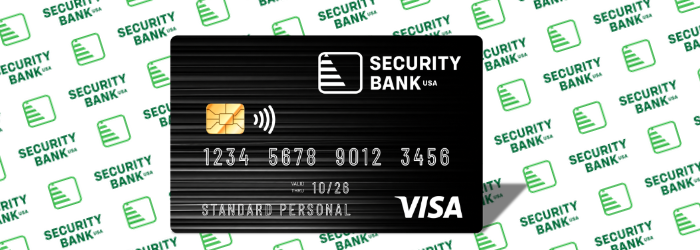
Manage Your Debit Card On the Go With My Cards!
Debit Card Improvements
Imagine the peace of mind that comes with having complete control over your debit cards! With Security Bank USA’s new Debit Card Management Tools – My Cards, you can do it all, from setting spending limits and curbing impulse purchases to instantly freezing misplaced cards. Get more out of life when you’re able to safely manage your finances from one convenient location.
To access My Cards from online banking, login to your online banking, click on the My Cards tab.
To access My Cards from your debit card, login to your mobile banking, click on the more tab, and then click on My Cards.
Benefits to My Cards:
For 24/7 debit card management help, please call 1-833-852-1097.
For all PIN related changes, please call 1-800-992-3808.
Additional Great Change:
Our debit cards are now within the MoneyPass ATM network. This means our customers can find thousands of surcharge-free ATMs located across the country!
Simply:
Locate a MoneyPass ATM
Next time you need cash, remember to look for MoneyPass.
Debit Card Improvements
Imagine the peace of mind that comes with having complete control over your debit cards! With Security Bank USA’s new Debit Card Management Tools – My Cards, you can do it all, from setting spending limits and curbing impulse purchases to instantly freezing misplaced cards. Get more out of life when you’re able to safely manage your finances from one convenient location.
To access My Cards from online banking, login to your online banking, click on the My Cards tab.
To access My Cards from your debit card, login to your mobile banking, click on the more tab, and then click on My Cards.
Benefits to My Cards:
- Turn cards on/off anytime anywhere
- Know where your cards are stored online
- Set spending limits
- Track every transaction with merchant names
- Keep an eye on spending with a glance
- View merchant name, location, logo and more
- Report lost or stolen cards quickly
- Set alert to receive instant notifications of card activity
- See spend details updated in real-time
For 24/7 debit card management help, please call 1-833-852-1097.
For all PIN related changes, please call 1-800-992-3808.
Additional Great Change:
Our debit cards are now within the MoneyPass ATM network. This means our customers can find thousands of surcharge-free ATMs located across the country!
Simply:
Locate a MoneyPass ATM
- www.moneypass.com gives you a great list
- Customers can find this link located under Additional Links in the mobile app.
Next time you need cash, remember to look for MoneyPass.
Comments